Version: 1.0.0 | Network: Polygon Mainnet | Language: English
📖 What is Sigma Wallet?
Sigma Wallet is a secure multi-signature wallet platform that allows you to deploy and manage smart contracts requiring multiple approvals for transactions. It provides enhanced security through a three co-owner system with NFT-based access control.
Sigma Wallet is a secure multi-signature wallet platform that allows you to deploy and manage smart contracts requiring multiple approvals for transactions. It provides enhanced security through a three co-owner system with NFT-based access control.
📋 Table of Contents
- Getting Started
- Deploying a Multi-Sig Wallet
- Operating Your Wallet
- Token Transfers
- Co-Owner Replacements
- Troubleshooting
1. Getting Started
Prerequisites
- A Web3 wallet (MetaMask, WalletConnect, Coinbase Wallet, etc.)
- Polygon (MATIC) tokens for gas fees
- USDT tokens if deploying with payment
- Basic understanding of blockchain and multi-signature wallets
1Connect Your Wallet
- Visit the Sigma Wallet application
- Click the "Connect Wallet" button on the Home page
- Select your preferred wallet provider from the modal
- Approve the connection in your wallet
- Ensure you're connected to Polygon Mainnet (Chain ID: 137)
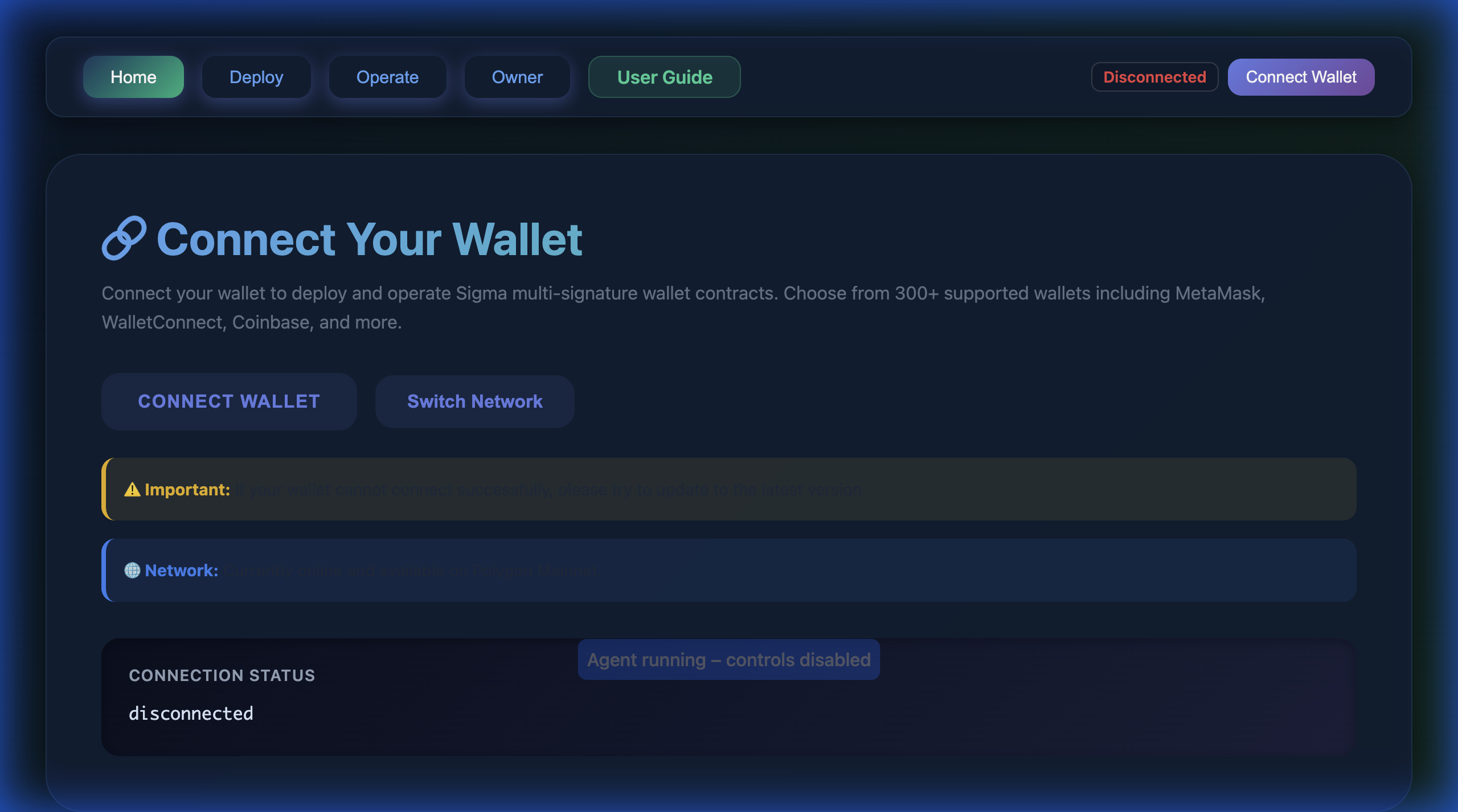
The connection interface on the Home page.
⚠️ Important: Sigma Wallet currently only supports Polygon Mainnet. If you're on a
different network, you'll see a warning. Please switch to Polygon Mainnet using the network selector.
2. Deploying a Multi-Sig Wallet
Understanding Co-Owner Roles
Before deploying, understand the three co-owner roles:
👑 Co-Owner 1 (Primary Controller)
• Full execution privileges
• Can execute token transfers (when all 3 approve)
• Can replace co-owners (when 2+ approve)
• Can change own status
• Can configure time limits
• Full execution privileges
• Can execute token transfers (when all 3 approve)
• Can replace co-owners (when 2+ approve)
• Can change own status
• Can configure time limits
👤 Co-Owner 2 & 3 (Approval Co-Owners)
• Can change own status
• Can approve transfers by setting Status 2
• Can approve replacements by setting Status 3
• Can execute co-owner replacements (when 2+ approve)
• ❌ Cannot execute token transfers
• Can change own status
• Can approve transfers by setting Status 2
• Can approve replacements by setting Status 3
• Can execute co-owner replacements (when 2+ approve)
• ❌ Cannot execute token transfers
Status System
- Status 1 (Restricted): Default state, no operations allowed
- Status 2 (Transfer Allowed): All 3 co-owners must set this for transfers
- Status 3 (Co-Owner Replacement): 2+ co-owners must set this for replacements
2Deploy Your Wallet
- Navigate to the "Deploy" page
- Review the current deployment pricing and payment method
- Enter Co-Owner Addresses:
- Co-Owner 1: The primary controller address (can be your own)
- Co-Owner 2: Second co-owner address
- Co-Owner 3: Third co-owner address
- All addresses must be unique and valid (0x + 40 hex characters)
- (Optional) Enter Promo Code:
- If you have a promotional code, enter it in the promo code field
- Click "Check Promo" to verify and see discounted price
- Promo codes can provide discounts or free deployment
- Click "Estimate Gas" to calculate deployment costs
- Review the gas estimation and total cost
- If payment is required, approve USDT spending for the factory contract
- Click "Deploy Contract"
- Confirm the transaction in your wallet
- Wait for deployment confirmation (usually 30-60 seconds)
- Save your contract address for future use
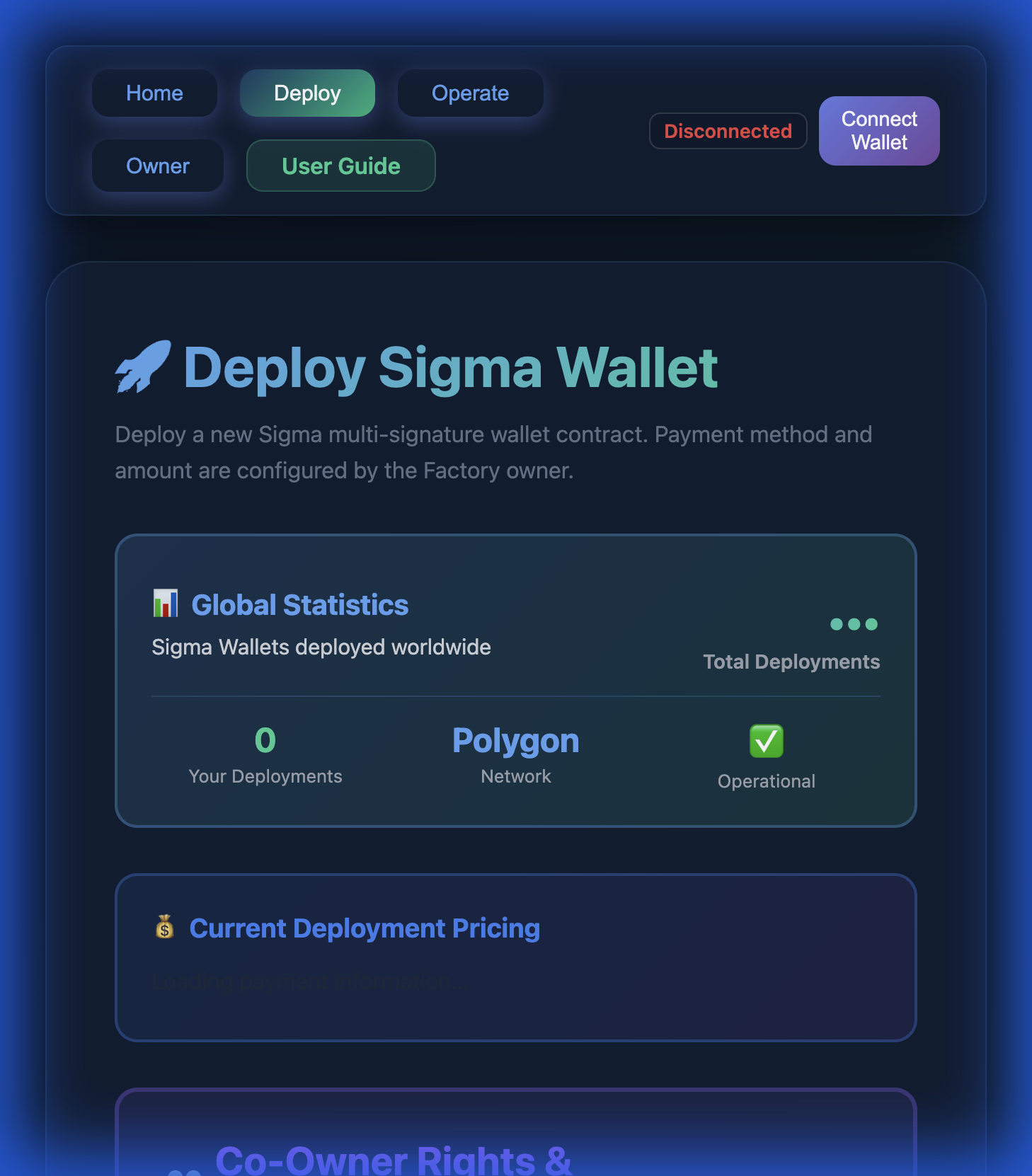
The deployment interface with statistics and owner inputs.
✅ Deployment Complete!
After successful deployment, you'll receive:
After successful deployment, you'll receive:
- Your unique multi-sig wallet contract address
- A non-transferable NFT minted to your wallet (required for operations)
- Transaction hash for verification
3. Operating Your Wallet
3Access Your Wallet Dashboard
- Navigate to the "Operate" page
- The dashboard will automatically load all wallets you've deployed
- You'll see:
- List of all your deployed wallets
- Current signer status for each wallet
- USDT and USDC balances
- NFT verification status
- Click "Select" on a wallet to operate it
- Or enter a contract address manually if it's not in your list
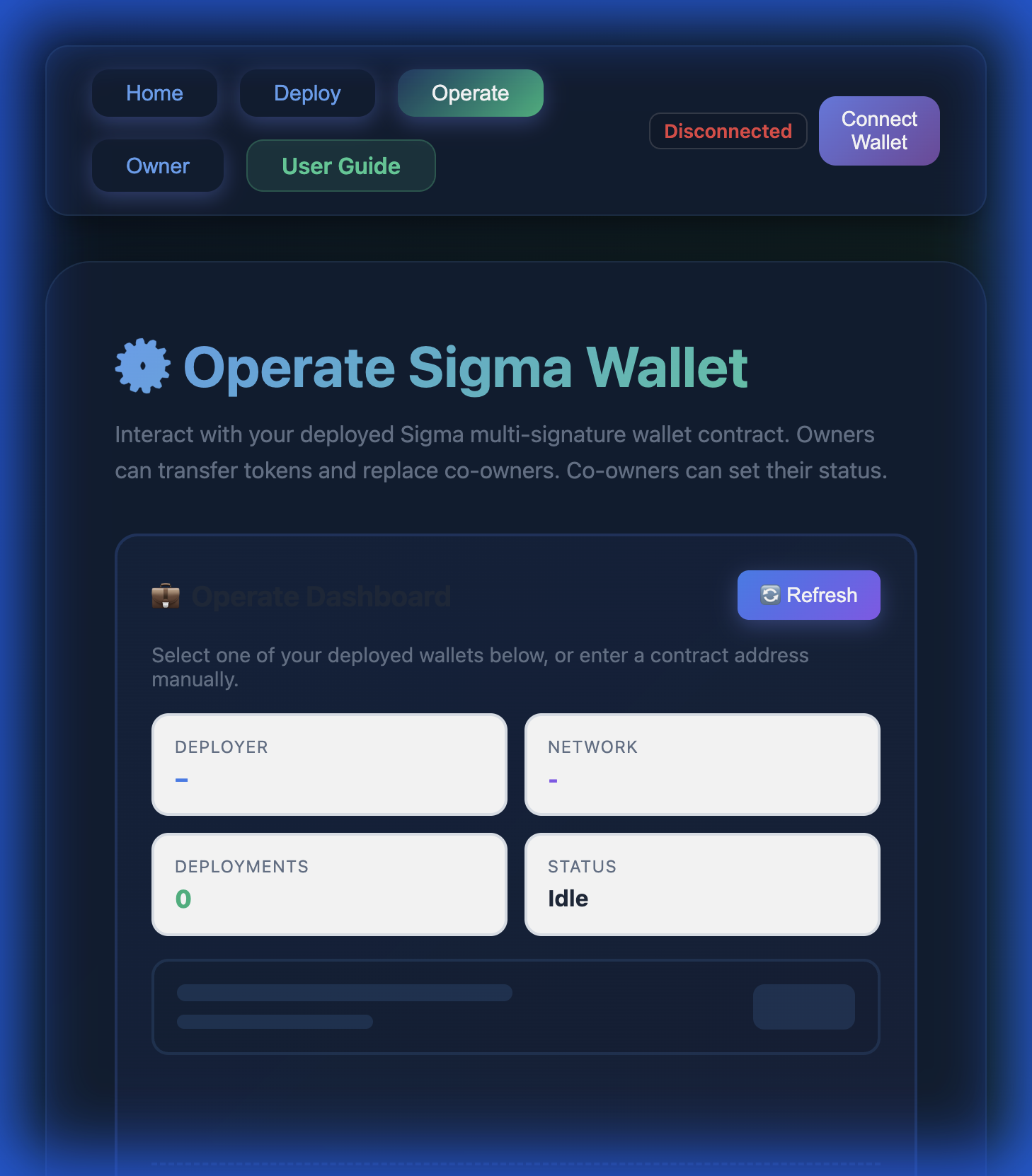
The operation dashboard showing your deployed wallets.
Viewing Wallet Information
Once a wallet is loaded, you can view:
- Primary Controller (Co-Owner 1) address
- All three co-owner addresses
- Current status of each co-owner
- Transfer approval status
- Replacement approval status
- Time limit for approvals
- Token balances (USDT, USDC, etc.)
- NFT ownership verification
4. Token Transfers
⚠️ Important: Token transfers require ALL 3 co-owners to approve (set Status 2) and can
only be executed by Co-Owner 1 (Primary Controller).
4Execute a Token Transfer
Phase 1: Collect Approvals (All Co-Owners)
- Each co-owner connects their wallet to the Operate page
- Load the multi-sig wallet contract
- In the "Co-Owner Actions" section, select Status 2 (Transfer Allowed)
- Click "Set Status" and confirm the transaction
- Wait for all 3 co-owners to set Status 2
- Once all approve, a countdown timer starts (default: 7 days)
Phase 2: Execute Transfer (Co-Owner 1 Only)
- Co-Owner 1 connects their wallet
- In the "Owner Actions" section, find "Transfer Tokens"
- Enter:
- Token Address: The ERC-20 token contract address
- Recipient Address: Where to send tokens
- Amount: How many tokens to transfer
- Click "Transfer Token"
- Confirm the transaction in your wallet
- Wait for confirmation
💡 Time Limits:
After all 3 co-owners approve, the transfer must be executed within the configured time limit (default: 7 days). If the time expires, statuses will be reset and approvals must be collected again.
After all 3 co-owners approve, the transfer must be executed within the configured time limit (default: 7 days). If the time expires, statuses will be reset and approvals must be collected again.
Canceling a Transfer
If any co-owner changes their mind before execution:
- The co-owner sets their status back to Status 1 (Restricted)
- This immediately cancels the approval
- The transfer can no longer be executed
- All co-owners must approve again to proceed
5. Co-Owner Replacements
⚠️ Important: Co-owner replacements require 2 out of 3 co-owners to approve (set Status 3)
and can be executed by ANY co-owner.
5Replace a Co-Owner
Phase 1: Collect Approvals (2+ Co-Owners)
- At least 2 co-owners connect their wallets
- Load the multi-sig wallet contract
- Select Status 3 (Co-Owner Replacement)
- Click "Set Status" and confirm
- Wait for 2+ co-owners to approve
- A countdown timer starts (default: 7 days)
Phase 2: Execute Replacement (Any Co-Owner)
- Any co-owner (1, 2, or 3) can execute the replacement
- In the "Owner Actions" section, find "Replace Co-Owner"
- Select:
- Slot to Replace: Which co-owner (0, 1, or 2)
- New Address: The new co-owner's address
- Click "Replace Co-Owner"
- Confirm the transaction
- The new co-owner immediately takes over the slot
✅ Replacing Co-Owner 1:
Yes, Co-Owner 1 (Primary Controller) can be replaced! If Co-Owners 2 and 3 both approve (Status 3), either can execute the replacement. The new Co-Owner 1 will gain full primary controller privileges.
Yes, Co-Owner 1 (Primary Controller) can be replaced! If Co-Owners 2 and 3 both approve (Status 3), either can execute the replacement. The new Co-Owner 1 will gain full primary controller privileges.
6. Troubleshooting
Common Issues and Solutions
Problem: "Transfer approval has expired"
Solution: The time limit passed before execution. Click "Reset Expired Statuses" and collect approvals again. All 3 co-owners must set Status 2 again.
Solution: The time limit passed before execution. Click "Reset Expired Statuses" and collect approvals again. All 3 co-owners must set Status 2 again.
Problem: "Multisig wallet must have NFT from factory to operate"
Solution: The wallet's NFT is missing or invalid. This should not happen as NFTs are non-transferable. Contact support if this occurs.
Solution: The wallet's NFT is missing or invalid. This should not happen as NFTs are non-transferable. Contact support if this occurs.
Problem: "Not co-owner 1 (primary controller)"
Solution: You're trying to execute a transfer but you're not Co-Owner 1. Only Co-Owner 1 can execute token transfers. Co-Owners 2 and 3 can only approve.
Solution: You're trying to execute a transfer but you're not Co-Owner 1. Only Co-Owner 1 can execute token transfers. Co-Owners 2 and 3 can only approve.
Problem: "Wrong network" warning
Solution: Switch to Polygon Mainnet (Chain ID: 137) using your wallet or the network selector in the app.
Solution: Switch to Polygon Mainnet (Chain ID: 137) using your wallet or the network selector in the app.
Problem: Transaction fails with "Insufficient gas"
Solution: Use the "Estimate Gas" feature before transactions. Ensure you have enough MATIC for gas fees. The app sets gas limit to 20x estimated to ensure success.
Solution: Use the "Estimate Gas" feature before transactions. Ensure you have enough MATIC for gas fees. The app sets gas limit to 20x estimated to ensure success.
Lost Access Recovery
Scenario 1: Co-Owner 1 lost private key
Recovery: Co-Owners 2 and 3 can replace Co-Owner 1 by both setting Status 3 and executing the replacement. The new Co-Owner 1 gains full control.
Recovery: Co-Owners 2 and 3 can replace Co-Owner 1 by both setting Status 3 and executing the replacement. The new Co-Owner 1 gains full control.
Scenario 2: All 3 co-owners lost private keys
Recovery: Unfortunately, there is NO recovery mechanism. The wallet and all funds are permanently locked. Always backup your seed phrases securely!
Recovery: Unfortunately, there is NO recovery mechanism. The wallet and all funds are permanently locked. Always backup your seed phrases securely!
Best Practices
- ✅ Always backup your wallet seed phrases in multiple secure locations
- ✅ Use hardware wallets for co-owner addresses when possible
- ✅ Test with small amounts before large transfers
- ✅ Verify all addresses carefully before deployment or transfers
- ✅ Coordinate with all co-owners before initiating operations
- ✅ Set appropriate time limits based on your team's availability
- ❌ Never share your private keys or seed phrases
- ❌ Don't use the same address for multiple co-owner slots
- ❌ Don't rush transactions - double-check everything
📞 Support & Resources
- Network: Polygon Mainnet only
- Supported Wallets: 300+ including MetaMask, WalletConnect, Coinbase Wallet
- Smart Contract: Verified on PolygonScan
- Security: Multi-signature + NFT-based access control
🎉 Congratulations!
You now know how to use Sigma Wallet! Start by deploying your first multi-signature wallet and experience enhanced security for your digital assets.
You now know how to use Sigma Wallet! Start by deploying your first multi-signature wallet and experience enhanced security for your digital assets.
Sigma Wallet v1.0.0 | Last Updated: January 2026